
Torchlight: Infinite Loot Filter: Early to Endgame
Choose a Torchlight: Infinite loot filter for leveling, TM7, and TM8 farming. Learn when to switch presets and keep crafting gear and currency visible.
Jump to
Which Torchlight: Infinite Loot Filter Should You Use?
A crowded screen makes every loot decision harder. The right Torchlight: Infinite loot filter helps you spot useful drops while keeping your attention on clearing maps. Start with the early-game preset, increase strictness as your equipment improves, and choose a Torchlight: Infinite loot filter that still shows the resources and crafting bases you need.
For a new character, the built-in filters offer a straightforward progression. The Junior preset covers early play, Intermediate provides a transition, and Advanced becomes an option as you move deeper into the Netherrealm. Community filters become especially useful when you settle into higher Time Marks, commonly shortened to TM.
Use this progression as a starting point:
| Progression stage | Filter to consider | What to keep in mind |
|---|---|---|
| Opening levels | Leave filtering off until the game introduces it | Inspect dropped equipment while building your character |
| Early progression | Junior, the early-game preset | Keep potential upgrades visible |
| Developing your equipment | Intermediate | Increase strictness as fewer drops help your build |
| Approaching TM6–TM7 | Advanced | Check that needed crafting materials remain visible |
| Extended TM7 farming | Mighty's loot filter or Don the Crown's loot filter | Preserve useful bases and crafting opportunities |
| Established TM8 farming and beyond | Beaconing Filter | Expect aggressive filtering that hides many potential pickups |
These are suggested transition points. Reaching TM7 does not mean your equipment, resources, or knowledge suddenly match those of someone farming TM8 comfortably.
If you are still replacing gear regularly, keep a broader selection visible. If nearly everything you inspect goes straight back on the ground, consider tightening your filter. Let your actual pickups guide the decision.
Official page: Torchlight: Infinite (torchlight.xd.com)
How to Select a Loot Drop Filter
Open the menu in the upper-right area of the screen and select Loot Drop Filter. The three built-in presets provide an accessible starting point without requiring you to create custom rules.
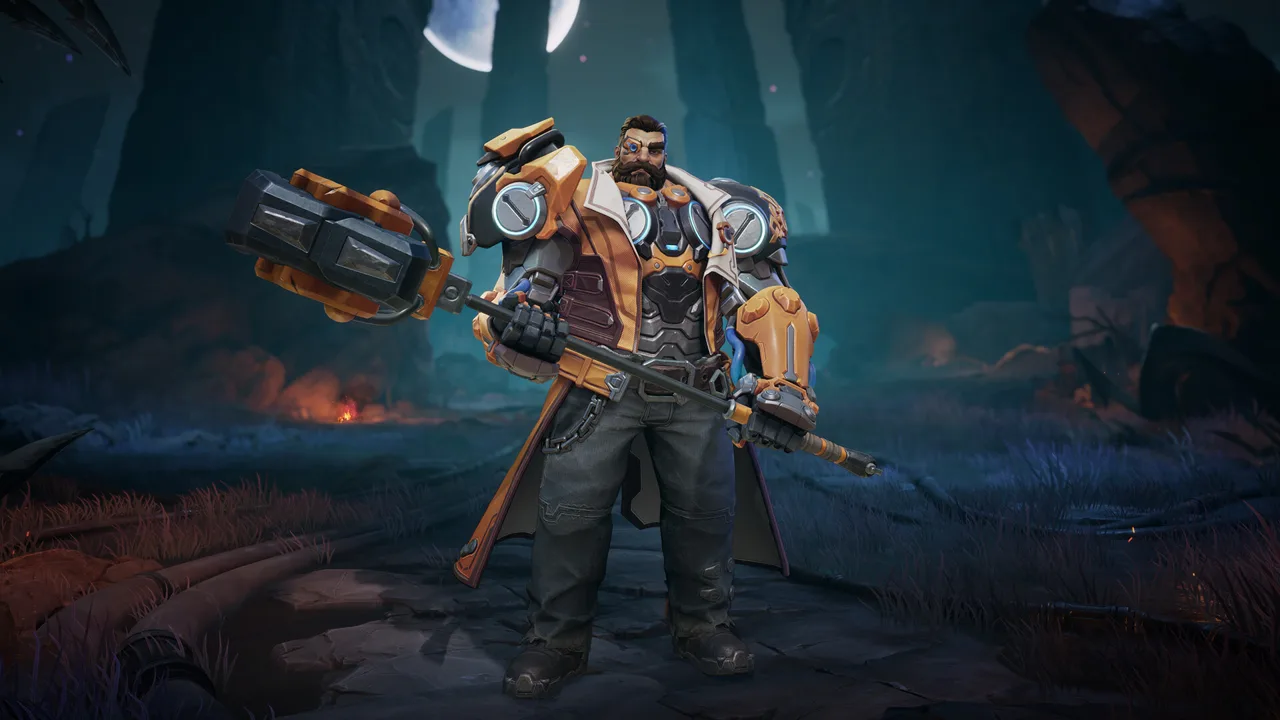 Image: Steam / XD
Your Torchlight: Infinite loot filter controls which dropped items you see. It reduces ground clutter and helps worthwhile drops stand out through their presentation, including visual cues and sounds where the filter uses them.
Choose your preset with your next equipment upgrades in mind:
| Action | What to look for |
|---|---|
| Open Loot Drop Filter | Review the built-in Junior, Intermediate, and Advanced options |
| Select a preset for your progression | Keep equipment and materials you still need visible |
| Inspect drops during normal play | Decide whether the visible items offer upgrades or crafting value |
| Revisit the preset as your needs change | Increase strictness when the current selection becomes distracting |
Avoid spending your opening levels trying to design an elaborate custom filter. Learn which equipment helps your build, which resources your crafting consumes, and what you regularly leave behind. Those decisions make filter selection much easier later.
When the game introduces filtering, start with the early-game option. Jumping immediately to an aggressive endgame preset can remove the very equipment you need to understand your upgrade path.
Check hidden loot when something feels wrong
On PC, holding Alt can reveal drops hidden by the active filter. Use that view to inspect what your current settings are excluding.
Pay attention to the difference between items that are visible and items that are collected. A clear screen alone does not tell you whether crafting materials reached your inventory.
If you keep revealing useful equipment or resources, loosen the filter. If the hidden drops consistently offer nothing you would collect, your current strictness makes more sense for your character.
Keep Crafting Materials and Upgrade Bases Visible
Your early Torchlight: Infinite loot filter needs to leave room for gradual equipment improvement. Embers and Flame Sand support the crafting process while your character works through the lower Time Marks.

Flame Elementium, often shortened to FE, becomes a larger focus later in progression. Avoid setting up your entire loot strategy around collecting FE before you have the equipment to farm higher tiers effectively.
Through the early Netherrealm, inspect dropped equipment for usable bases, relevant affixes, and energy. Energy matters because your gear contributes to the points available for your active and passive skills. An item deserves consideration for more than its rarity color.
For example, if you still need better defenses and regularly craft resistance affixes, keep the associated crafting resources visible. Hiding them to achieve a cleaner screen works against your immediate upgrade plan.
Match strictness to what you still use
Before switching presets, check your current needs:
- Equipment: Are dropped items still replacing pieces you wear?
- Crafting bases: Are you finding items worth improving?
- Resources: Do you still use Embers and Flame Sand regularly?
- Energy: Are you checking how equipment supports your skill setup?
- Pickup habits: Are you inspecting useful drops or repeatedly rejecting the same unwanted items?
Keep broader filtering while these checks point toward frequent upgrades. Tighten it as your equipment settles and your reasons for picking things up become more specific.
Consider two characters entering TM7. One still needs several equipment improvements and uses crafting materials constantly. The other already has a functional setup and is moving toward TM8. Give the first character more visible options; consider a stricter preset for the second.
Solo Self Found also deserves a deliberate check. Because you rely on your own drops and crafting, keep bases and materials visible whenever they remain part of your upgrade plan.
Compare Community Filters for TM7 and TM8
Once you spend more time farming than moving through progression, a community Torchlight: Infinite loot filter can help narrow your attention to the drops you actually want.

The important distinction is how aggressively each option filters equipment. A preset suited to established endgame farming can hide items that remain useful while you are building toward it.
| Community filter | Suggested progression use | Main consideration |
|---|---|---|
| Mighty's loot filter | Mid-to-late-game progression, including TM7 farming | Keeps useful bases and crafting candidates in view |
| Don the Crown's loot filter | Mid-to-late-game progression, including TM7 farming | Offers another option for retaining equipment with crafting potential |
| Beaconing Filter | Very late game, particularly established TM8 farming | Hides a large amount of loot, including potential pickups a developing character could use |
Stay flexible while farming TM7
If TM7 is where you will spend substantial time upgrading, consider Mighty's or Don the Crown's filter before moving to Beaconing Filter.
That intermediate step matters when your build still benefits from equipment found on the ground. Crafting candidates can help you progress even when they are not ready to equip immediately.
Continue using the Advanced preset if it fits your needs. Switching to a community filter is useful when its selection matches your farming goals; the name alone does not make the switch worthwhile.
Use Beaconing Filter when its exclusions fit your goals
Beaconing Filter is an aggressive late-game option. Consider it around established TM8 farming when you want to ignore a large portion of ordinary drops.
Before committing, inspect what it hides. Keep a less restrictive option if you still need the bases or materials being excluded.
Avoid copying another character's filter choice without considering their equipment. A developed build can afford to pass over items that would help a character still working toward the same farming tier.
Fix Filtering Problems and Recheck Each Season
A Torchlight: Infinite loot filter should support your next upgrade and your current farming routine. When either changes, revisit the preset.
Use the items you collect—and the useful items you discover hidden—as your feedback. You do not need a complicated evaluation system to notice that a filter is showing too much or excluding things you still need.
| What happens during play | What to change |
|---|---|
| Useful upgrades appear when you reveal hidden loot | Switch to a less restrictive preset |
| Crafting materials you need are being hidden | Keep those resources visible |
| You repeatedly stop for equipment you never use | Consider a stricter filter |
| TM7 progression still depends on dropped bases | Try a broader mid-to-late-game option |
| Established TM8 farming produces excessive clutter | Consider Beaconing Filter after reviewing its exclusions |
Check currency collection separately
Keep your pickup setup in mind when hiding smaller currencies. A hidden ground label and successful collection are different things.
If Flame Sand still pays for your crafting, check your inventory and what remains on the ground before excluding it. Apply the same reasoning to Embers and other materials you regularly spend.
Avoid making your filter stricter merely because a resource has become less valuable to an advanced character. Keep it visible while it still has a practical use for yours.
Review seasonal items before reusing an old filter
The Tartarus season launches on October 16, bringing Prisoner Nameplates, Warden's Caches, and Follower progression. Revisit your loot priorities when starting the season, especially before returning to a familiar endgame filter.
Check how your selected preset handles seasonal drops. Use the version intended for your season, and review the filter's selection before relying on it for extended farming.
Trade House condition filters serve a separate purpose: they narrow searches for equipment you want to buy. Ground loot filtering determines what you notice during combat. Adjust each around the upgrades you are pursuing.
Keep your Torchlight: Infinite loot filter aligned with what you still pick up. Start broad, preserve useful crafting opportunities through progression, and increase strictness when fewer drops contribute to your character.
FAQ
What is the best Torchlight: Infinite loot filter for beginners?
Start with the Junior preset when the game introduces filtering. Move toward Intermediate and Advanced as your equipment improves. Keep useful bases and crafting materials visible while dropped gear remains an important source of upgrades.
When should I switch to a community loot filter?
Consider a community filter when you begin sustained higher-tier farming. Mighty's and Don the Crown's filters are options for TM7 progression. Consider Beaconing Filter later, especially for established TM8 farming, after checking that its aggressive exclusions fit your needs.
Does a Torchlight: Infinite loot filter automatically collect hidden items?
Filtering controls item visibility. Check your pickup setup separately and verify that needed resources reach your inventory. Keep materials visible when you still need to collect them manually.
How can I see items hidden by my filter?
On PC, hold Alt to reveal hidden ground loot. Inspect the excluded items, especially crafting bases and currencies. Switch to a less restrictive preset if you repeatedly find drops that would help your character.
Continue with
 Torchlight: Infinite Pact Tier List: Best Loot PicksUse the Torchlight: Infinite pact tier list to compare farming pets, spot upgrades, and choose a Legendary Drop Pactspirit for your favorite mechanic.
More in Items

Torchlight: Infinite Divinity Slate Guide: Craft Smarter
Learn the Torchlight: Infinite divinity slate system, from talent tiers and branding to Divinity Pacts and resets. Plan your upgrades before spending FE.
Torchlight: Infinite Flame Elementium Farming Guide
Build your Torchlight: Infinite flame elementium stash with boss rushing, smarter crafting, Trade House sales, and Pactspirit tips for steady progression.
Torchlight: Infinite Hero Memory Guide for Tartarus
Master Torchlight: Infinite hero memory upgrades, Lunar Dust tiers, and Tartarus Revival rerolls. Learn what to farm and how to plan your next upgrade.

Torchlight: Infinite Ultimate Legendary Gear Guide
Master Torchlight: Infinite ultimate legendary gear with practical tips on legendary items, priceless crafting, ultimate affixes, and endgame upgrades.
Join the community
Game links and player communities: